
4 years ago
Talha Sonmez
If you've read anything about the Socket 1700 12th-Gen Intel Core processors, you'll have noticed that most (if not all) of the reviewers out there have spoken about the power usage observed with the new chips. With great power comes great responsibility, of course, and you will need to ensure your motherboard specification is in line with the demands you're going to make of your Alder Lake CPU.
Besides power, there's the feature-set. Whilst a creator who uses 3D software has different needs than a hardcore gamer, extra USB ports, Wi-Fi 6, and other features have some crossover between the many use cases of a high-end Alder Lake build, so some considerations need to be highlighted.
**Z690 Gaming X vs. Z690 Aorus Elite AX**
Let's get this out of the way first, as it tends to be the first question on many lips when looking into this motherboard.
It is true that the similarities between the two motherboards are numerous. The elephant in the room here has already been paraded around by a number of YouTubers and reviewers saying that the Gaming X is in fact just a different-looking board. Different aesthetic and different demographic. Only some of that is true.
https://cclonline.com/images/articles/_z690-cta.jpg
[Click here](https://click.linksynergy.com/deeplink?id=2bEJdar9NO4&mid=35889&murl=https://www.cclonline.com/product/364695/Z690-GAMING-X/Motherboards/Gigabyte-Z690-GAMING-X-Motherboard-ATX-Intel-Socket-1700-Z690-Chipset/MBD3172/) to view the pricing of the Gigabyte Z690 Gaming X.
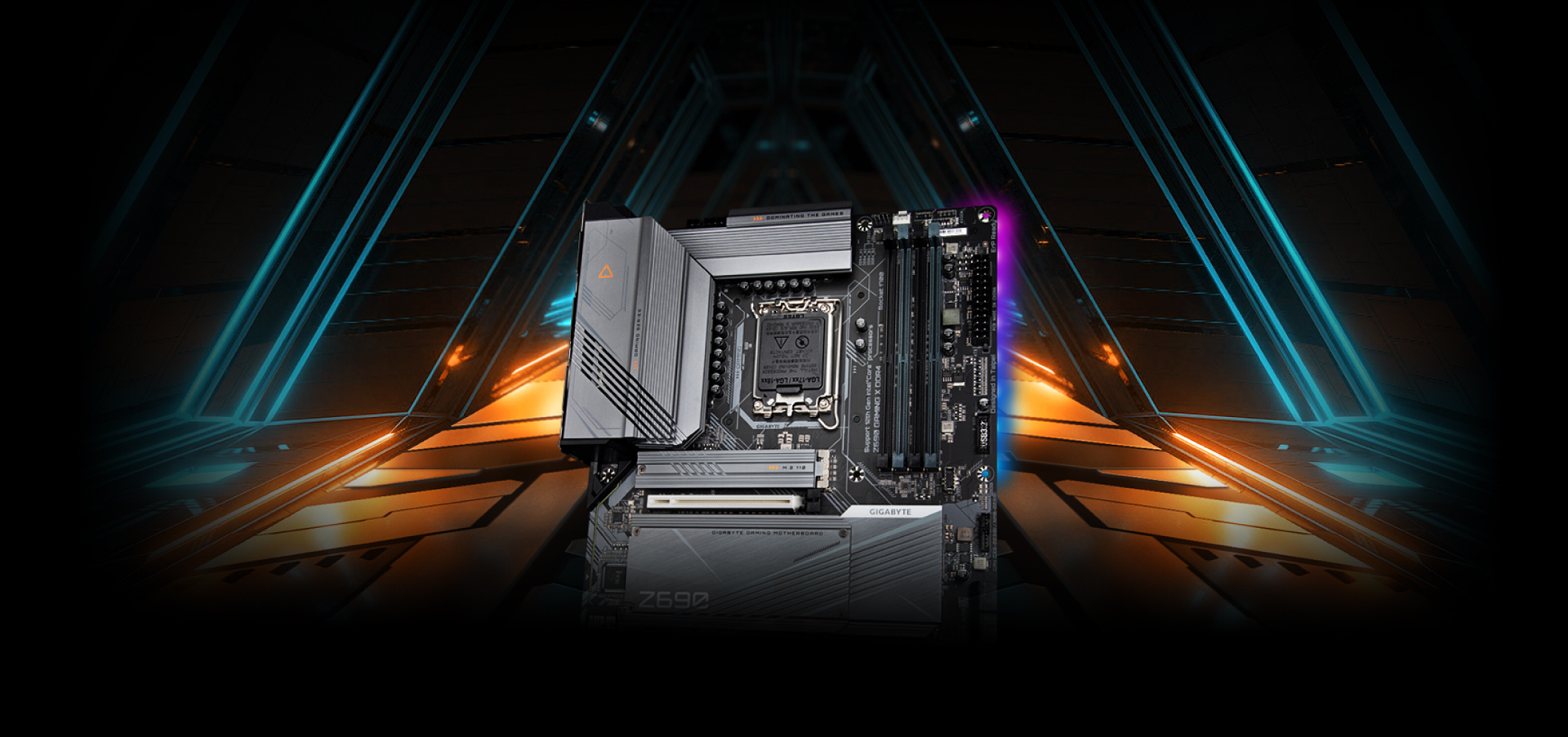
The truth is that the Z690 Gaming X and [Z690 Aorus Elite](https://click.linksynergy.com/deeplink?id=2bEJdar9NO4&mid=35889&murl=https://www.cclonline.com/product/364705/Z690-AORUS-ELITE-AX/Motherboards/Gigabyte-Z690-AORUS-ELITE-AX-Motherboard-ATX-Intel-Socket-1700-Z690-Chipset/MBD3176/) do have a few differences that give the £220-ish price tag on the Aorus Elite some merit, and also make the Gaming X more attractive to a wide range of PC users - but mostly gamers.
The following codes are exclusive to Stock Checker, and can be applied to any product sitewide on CCL Computers:
- **AFF15** (£15 OFF £250 min spend)
- **AFF25** (£25 OFF £500 min spend)
- **AFF50** (£50 OFF £1000 min spend)
**Z690 Gaming X vs. Z690 Aorus Elite AX Side By Side Comparison**
The Aorus Elite AX has one extra M.2 slot and WiFi, whereas the Gaming X offers a cost-effective Z690 entry for Socket 1700, and throws in HDMI 2.1, and a USB-C 3.2 header. Clearly aimed at gamers who don't require Wi-Fi, and those who don't mind sacrificing an M.2 slot; the difference in price is currently __around £60__ - which makes the __Gigabyte Z690 GAMING X DDR5__ extremely good value.
https://www.cclonline.com/images/articles/_z690-gaming-x-vs-aorus-elite-ax.jpg
Z690 Gaming X vs. Z690 Aorus Elite AX Side By Side Comparison
In terms of looks, the Gaming X has the sleek aesthetic that gamers are currently trending towards, with the - more uniform - grey heatsink cover that blends perfectly with the rest of the design. The Aorus Elite AX, however, opts for the pink "AORUS" logo design across the heatsink.
The Gaming X board itself is finished with a grey detailing colour, too, which will be great for anyone who has an [all white PC build](https://click.linksynergy.com/deeplink?id=2bEJdar9NO4&mid=35889&murl=https://www.cclonline.com/article/1940/Guide/Cases/The-All-White-PC-Setup/) and doesn't want to go with an extravagant white motherboard (that will be mostly covered by components).
**Let's Talk About Power**
With the modest increase in performance that [overclocking the Core i9 12900K](https://click.linksynergy.com/deeplink?id=2bEJdar9NO4&mid=35889&murl=https://www.cclonline.com/article/2064/Guide/CPU-Processors/Overclock-Core-i9-12900K-For-Gaming-Performance/) offers, you might not even want to bother tweaking to get that 5% increase we discussed in our recent article. If overclocking is something you're interested in, then power management is going to be your first thought.
**Power Upgrade For DDR5 Version**
The VRM (__voltage regulator module__) in the Gigabyte Z690 Gaming X features a 16 power stage VCore using 60A power stages, upgraded (from the DDR4 version of this board) to [DrMOS 60A powerstages](https://click.linksynergy.com/deeplink?id=2bEJdar9NO4&mid=35889&murl=https://www.cclonline.com/product/364695/Z690-GAMING-X/Motherboards/Gigabyte-Z690-GAMING-X-Motherboard-ATX-Intel-Socket-1700-Z690-Chipset/MBD3172/). There's also __XMP 3.0__ capability in the BIOS, which will be your first port of call in the overclocking process.
In essence, when you look at overclocking your unlocked [Socket 1700 processor](https://click.linksynergy.com/deeplink?id=2bEJdar9NO4&mid=35889&murl=https://www.cclonline.com/category/401/PC-Components/CPU-Processors/Intel-Processors/attributeslist/1014040/), you can do so easily within Gigabyte's __EasyTune__™ application - which our techs have found to be a simple and intuitive interface that will allow you to fine-tune system settings, adjust system and memory clocks & voltages all in a Windows environment. Further, Gigabyte's __Smart Quick Boost__ is a "one-click" solution to automatically overclock your system, for an added performance injection when you need it.
As this software is all driven inherently by Gigabyte, the performance increases will be relative to the motherboard capabilities, ensuring you don't overtax when you overclock.
https://cclonline.com/images/articles/_easytune-3.jpg
**CCL Recommends: Gigabyte Z690 Gaming X DDR5**
For gamers, there's a lot to get excited about with the [Gigabyte Z690 Gaming X](https://click.linksynergy.com/deeplink?id=2bEJdar9NO4&mid=35889&murl=https://www.cclonline.com/product/364695/Z690-GAMING-X/Motherboards/Gigabyte-Z690-GAMING-X-Motherboard-ATX-Intel-Socket-1700-Z690-Chipset/MBD3172/), and with the latest benchmarks suggesting DDR5 is well worth the upgrade when you're using Alder Lake chips, the news gets better and better. It really does come down to that M.2 slot for most gamers - but if you take a look at the SSD market right now, and consider you can get 500GB storage in PCIe Gen4 flavours for around £130 (Feb 2022), that's more than enough for an operating system and your essential apps/games. With room for 6x SATA III, your large-capacity storage is also well and truly taken care of.
All things considered, the Gaming X is of great value and gets our full recommendation for those wishing to get on board with 12th-Gen Intel CPUs and DDR5.
https://cclonline.com/images/articles/_z690-cta.jpg
[Click here](https://click.linksynergy.com/deeplink?id=2bEJdar9NO4&mid=35889&murl=https://www.cclonline.com/product/364695/Z690-GAMING-X/Motherboards/Gigabyte-Z690-GAMING-X-Motherboard-ATX-Intel-Socket-1700-Z690-Chipset/MBD3172/) to view the pricing of the Gigabyte Z690 Gaming X.
This article has been provided by CCL Computers, written by Mark Byrne.
Some links provided in this article may be affiliate links.
Images used in this article belong to Gigabyte Technology and CCL Computers respectively.